Enriching Machine Identities with Client Properties
On this page
Managing and authorizing machines is an important part of an organization's security posture. Different types of machines and workloads need their own identities: AI agents, backend services, databases, or APIs. This abundance means that relying simply on the workload's ID is insufficient. Organizations need machine identities so that they can base authorization decisions on more granular attributes. It is inefficient to operate just on workload IDs — imagine managing policies that should determine which workloads should be able to call an API endpoint, and having thousands of workloads that get created and deleted in seconds.
The Curity Identity Server is able to solve this problem by representing machine identities as clients — every client is a separate workload, that you can assign its own attributes. In the Curity Identity Server, these attributes are represented as client properties, which are generic key-value pairs. Once a client has some properties set, any flow that works with client data can then use these properties to apply its own policies.
A common use case is to issue claims to access tokens based on client properties. Either use raw values or use them as an input to calculate a claim value. Once the claims are issued, any service that later deals with the token can use that information to apply its own authorization policies. In this way, it is possible for systems to change authorization decisions based on the identity of the client, not just the user. For example, even if a user is authorized to call a given endpoint, an API can still reject a request to that endpoint if it comes from an unauthorized agent acting on the user's behalf.
This tutorial shows how to configure client properties and use them as source for access token claims.
Prerequisites
To follow this tutorial, make sure you have the following.
- A working instance of the Curity Identity Server, configured at least with a basic configuration.
- A client configured with at least the code flow. For testing purposes, it is good to also enable introspection capability on the client.
Overview of the Solution
In order to issue access tokens with claims based on client properties, you need to configure these three elements:
- Set properties on a client entry.
- Configure a Claims Value Provider that is able to supply claim values based on the properties.
- Use the Token Designer to configure the claims that should end up in an access token.
Configuring Properties on a Client
Go to Token Service → Clients and select a client to edit. Switch to the Application tab. In the Client Properties section click on + Add Property.
In this tutorial the client will have two properties that will help identify it as a specific kind of agent: agent_department and agent_role.
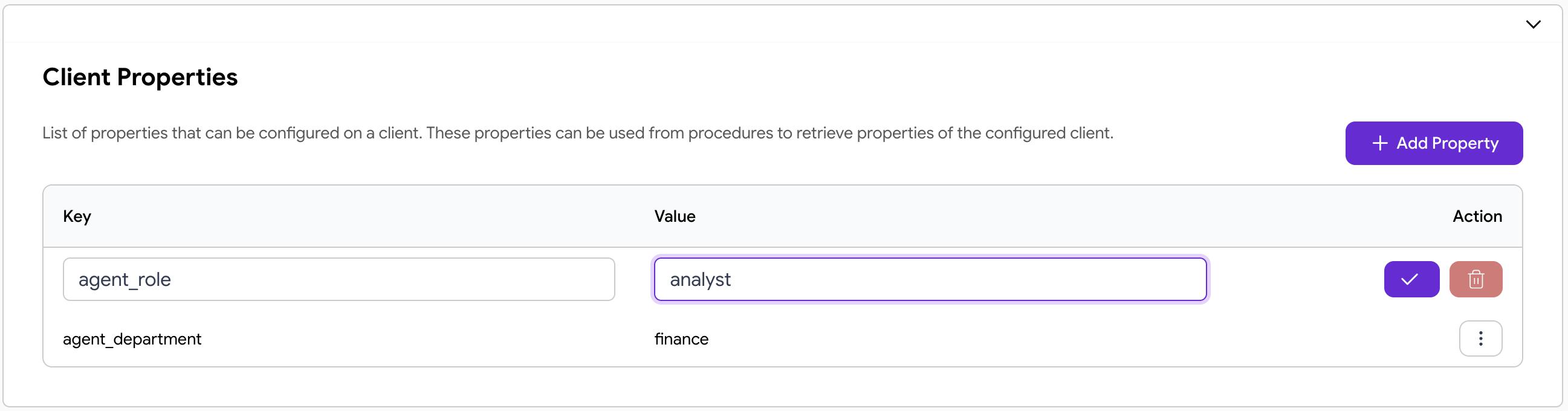
Add the properties with some example values and click the checkmark button to save them.
Adding a Claims Value Provider
Next, go to Token Service → Scopes and Claims → Claim Providers. Click on + New Claims Value Provider.
Give the provider a suitable name, like agent-properties-provider and choose the Script type, then click on Next.
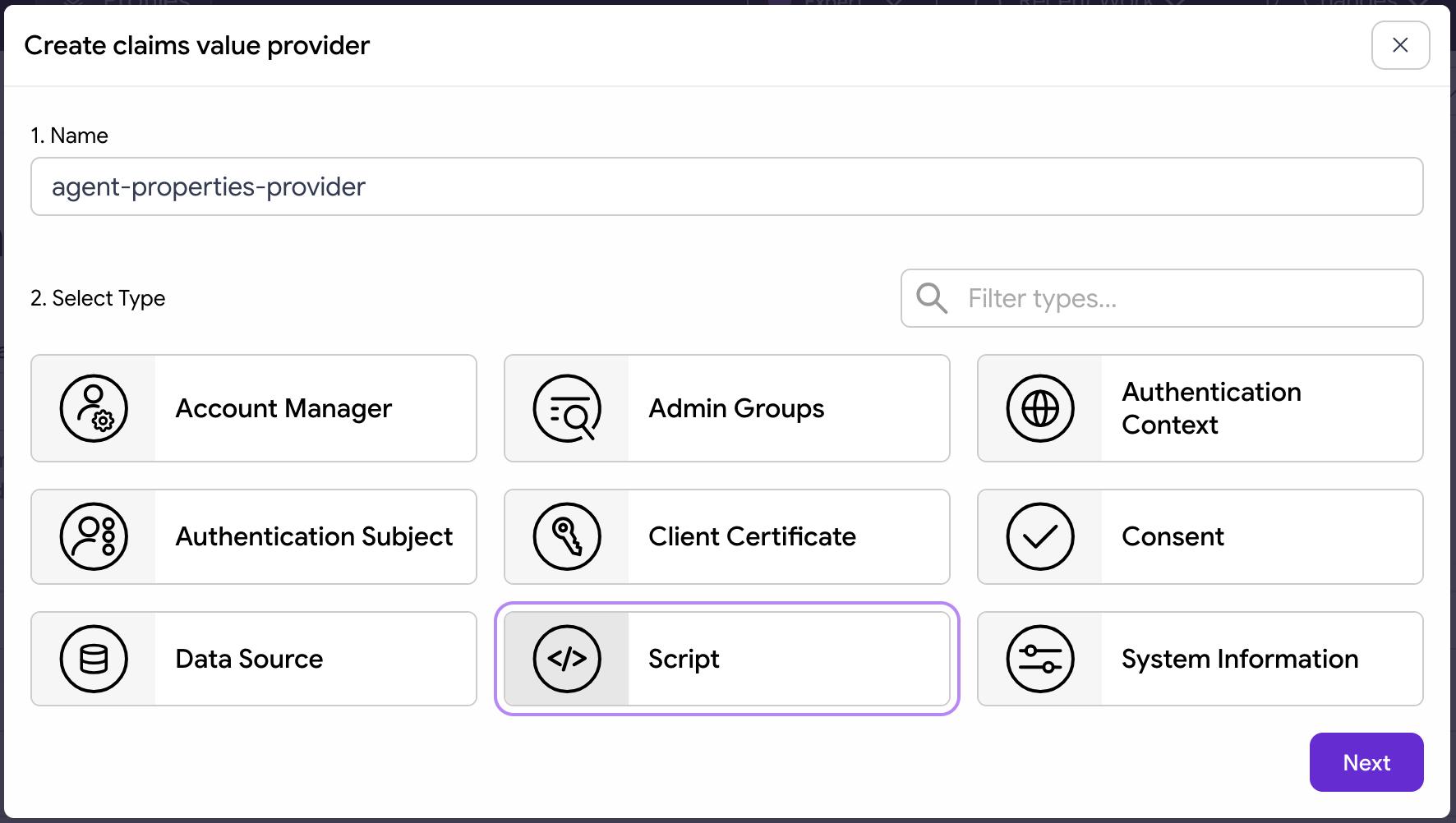
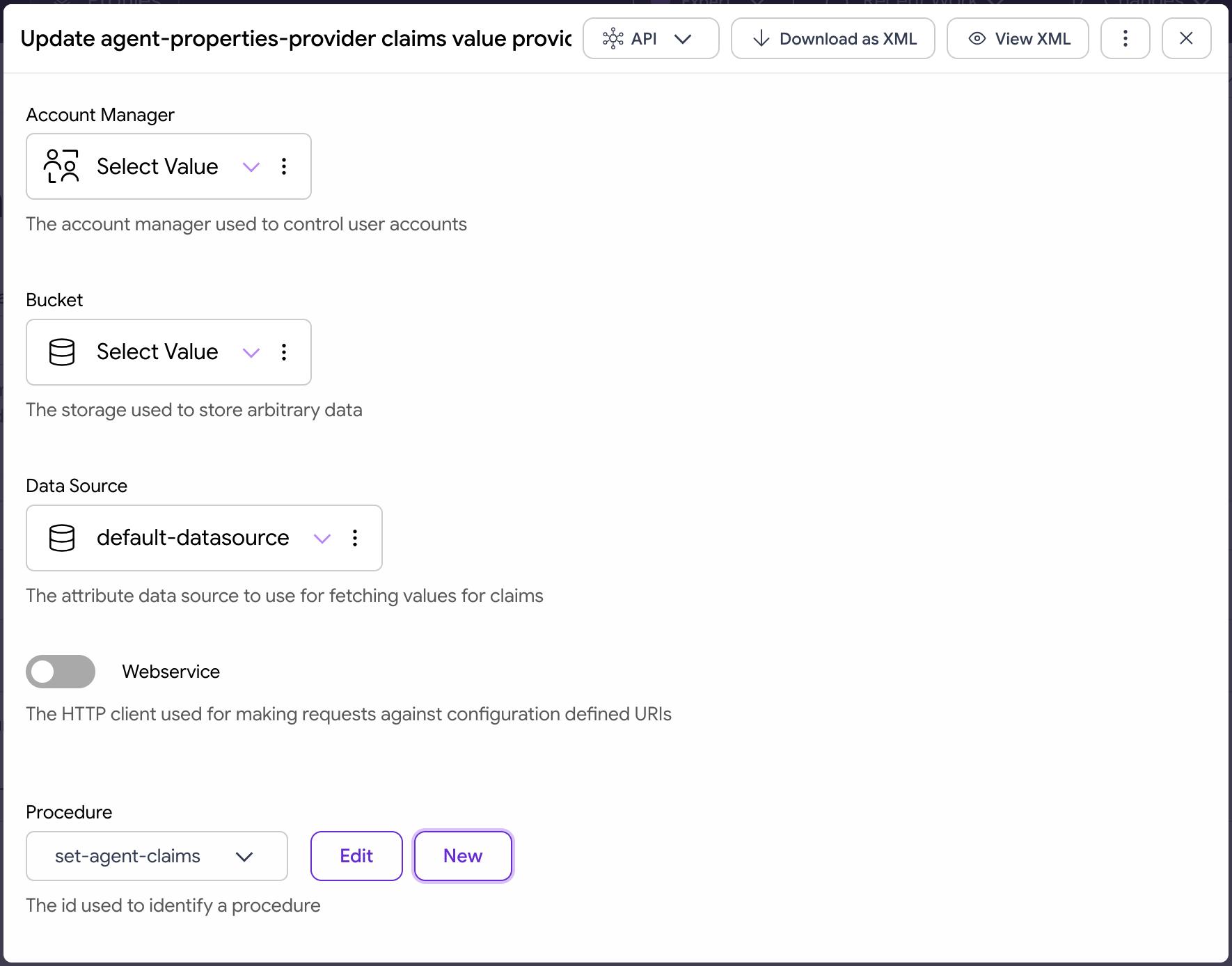
On the next screen, select the data source that the provider will have access to (you can select your default data source, which is usually called default-datasource). Leave the other options empty. Add a new claims provider procedure by clicking the New button next to the Procedure dropdown.
Give the procedure a suitable name, e.g., set-agent-claims, then click Create.
A popup will open with a JavaScript editor. Paste the following script in the editor.
/*** @param {se.curity.identityserver.procedures.claims.ClaimsProviderProcedureContext} context*/function result(context) {var clientProperties = context.client.properties;if (clientProperties['agent_role']) {return {"is_agent": true,"agent_scope": clientProperties['agent_department'] + "/" + clientProperties['agent_role']}}return {"is_agent": false}}
The script determines the values for claims based on the client properties. It sets values for two claims:
is_agentwhich is a boolean that tells whether the client represents an agent,agent_scopewhich is constructed by concatenating the two client properties.
Click on Update to save the changes then on Close.
The configured claims provider should look similar to the following:
Close the claim provider popup by clicking on the X button in the upper right corner.
Configuring Claims
Next, you need to add the new claims that the Curity Identity Server will issue to access tokens.
Follow these steps to add a new claim:
- Go to Token Service → Scopes and Claims to open the Token Designer.
- Click on + New in the Claims column to create a new claim.
- Enter the name:
is_agentthen click Create. - Select Claim Value Provider as the source of the claim value.
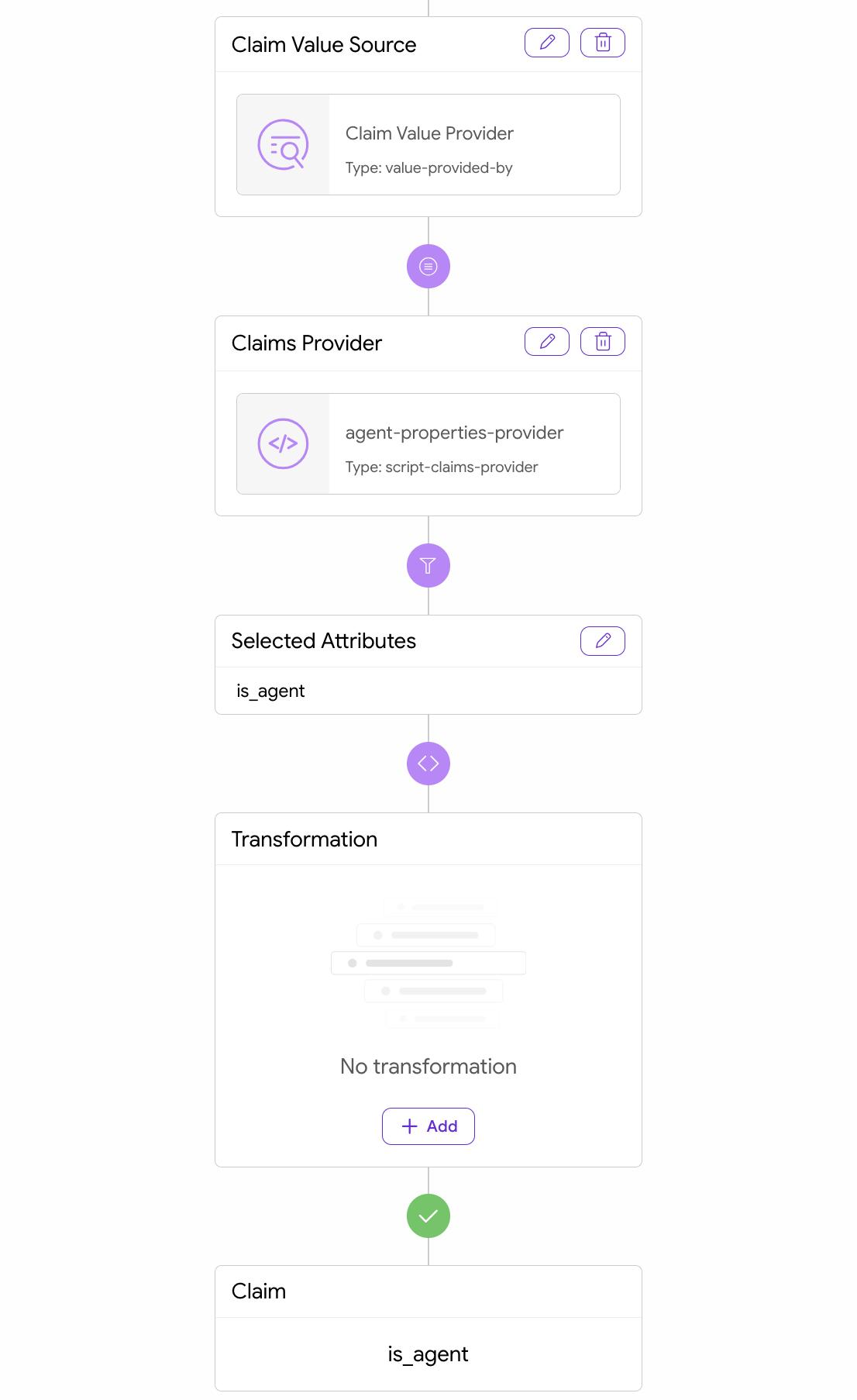
- In the Claims Provider box click on the edit button (marked with a pencil icon) and select the previously created provider (
agent-properties-provider), then close the pane. - In the Selected Attributes box click on the edit button, add a
is_agentattribute, then close the pane. The dialog should now look similar to this:
- Close the claim dialog.
- Add the new claim to a scope. First, unselect Scopes with selected claim then drag and drop the
is_agentclaim onto the Default scope, or onto the scope you want to be assigned with the claim. If you assign it to the Default scope then the claim will get issued to a token regardless of the scopes requested, even if a client requests empty scopes. - Add the new claim to the access token data. Drag and drop the
is_agentclaim onto the Access Token box.
Now add the agent_scope claim using the same approach as above. Make sure to add the agent_scope attribute in the Selected Attributes section.
Deploy Changes
All the configuration changes are now ready. Deploy them to the running system by selecting Commit from the Changes menu.
Testing the Solution
To test the approach, run an OAuth authorization code flow using your client data. You can test using OAuth tools or with a browser and curl. See the code flow tutorial if you need help with running the authorization code flow.
Authenticate when you see a login screen. If you configured the Curity Identity Server with a username authenticator then enter any username to simulate real user authentication. Otherwise, log in accordingly to the configured method (for some methods, like for the HTML form authenticator, you might have to create an account first). Once you get an access token introspect it to see the associated claims (e.g., run an introspection flow). The introspected token should have contents similar to this:
{"sub": "user1","purpose": "access_token","iss": "https://localhost:8443/oauth/v2/oauth-anonymous","active": true,"token_type": "bearer","client_id": "my-agent","aud": "my-agent","nbf": 1790071863,"scope": "","exp": 1790072163,"delegationId": "2f22bedd-2739-4a73-b4f8-a34bd01663eb","iat": 1790071863,"is_agent": true,"agent_scope": "finance/analyst"}
Note that the token represents a user, but it also contains the claims that refer to the client's identity. Any receiver of the token can use this data to base an authorization decision not just on the user's attributes but also on the machine identity.
Using the Approach with Different Types of Clients
The Curity Identity Server supports different types of clients, based on how they are persisted and managed:
- clients persisted in the configuration data (configuration clients)
- clients persisted in a database (database clients) using Curity's APIs
- dynamically registered clients (DCR)
- ephemeral clients, that is clients using Client ID Metadata Documents (CIMD) for authentication, not persisted in the Curity Identity Server
All types of clients support the behavior presented in this tutorial. This article uses configuration clients, and for other types the approach might be sometimes slightly different, as the following sections show.
Database Clients
For database clients, you can use exactly the same approach. Database clients contain a properties attribute which is a map of key-value pairs. You can set these properties either using the admin UI or via the GraphQL API.
The claims value provider will correctly read the properties from the client data and doesn't need any changes.
Dynamically Registered Clients
DCR clients are also persisted in a data storage, but they use the flows defined by the DCR standard. Still, it is possible to register clients with additional properties, and you can follow two approaches:
- When sending a request to the DCR registration endpoint, any non-standard fields in the request body will be persisted as client properties. You can use this approach when you trust the registering client that it will properly set the values.
- You can add a pre- or post-processing procedure on the registration endpoint that can set the properties based on other contextual data, like the
software_idthe client is using, or the identity behind the initial access token.
Once the client is registered with the properties, the claims value provider will correctly read them without any further changes.
Ephemeral Clients
As these clients never register and are not persisted in the Curity Identity Server it is not possible to set additional properties on them. This means that to achieve functionality described in this tutorial you would need to update the claims value provider to properly set the properties when it deals with an ephemeral client. Such clients always use an HTTPS URL as the client ID, which allows using code similar to the following in the claims value provider's procedure:
if (context.client.id.startsWith('https://retail-support-agents.company.example')) {return {"is_agent": true,"agent_scope": "retail/support"}}
Conclusion
Enriching clients with properties allows organizations to properly control access of workloads, services, applications and agents. The Curity Identity Server allows storing such properties to then use their values to issue claims in access tokens. Systems then rely on the claims to apply fine-grained access policies. If you want to see it used in an end-to-end example, then take a look at the agent-to-agent demo.
Customer Stories
Learn how organizations run identity and API security at scale.
Read customer storiesWas this helpful?