Ephemeral Clients (Client ID Metadata Documents)
On this page
Ephemeral clients are applications that can request tokens from the Curity Identity Server without prior registration. They are ephemeral because the Curity Identity Server does not have a persistent configuration entry for those clients but retrieves the necessary metadata at runtime using the Client ID Metadata Document.
Expert Mode
This tutorial requires to view the Admin UI in Expert mode. See the first configuration tutorial for an introduction to the Admin UI.
Enable Ephemeral Clients
Ephemeral clients are disabled by default. You need to enable ephemeral clients on the token profile.
- In the Admin UI, navigate to Profiles → Token Service → General → Ephemeral Clients.
- Click on Enable Ephemeral Client.
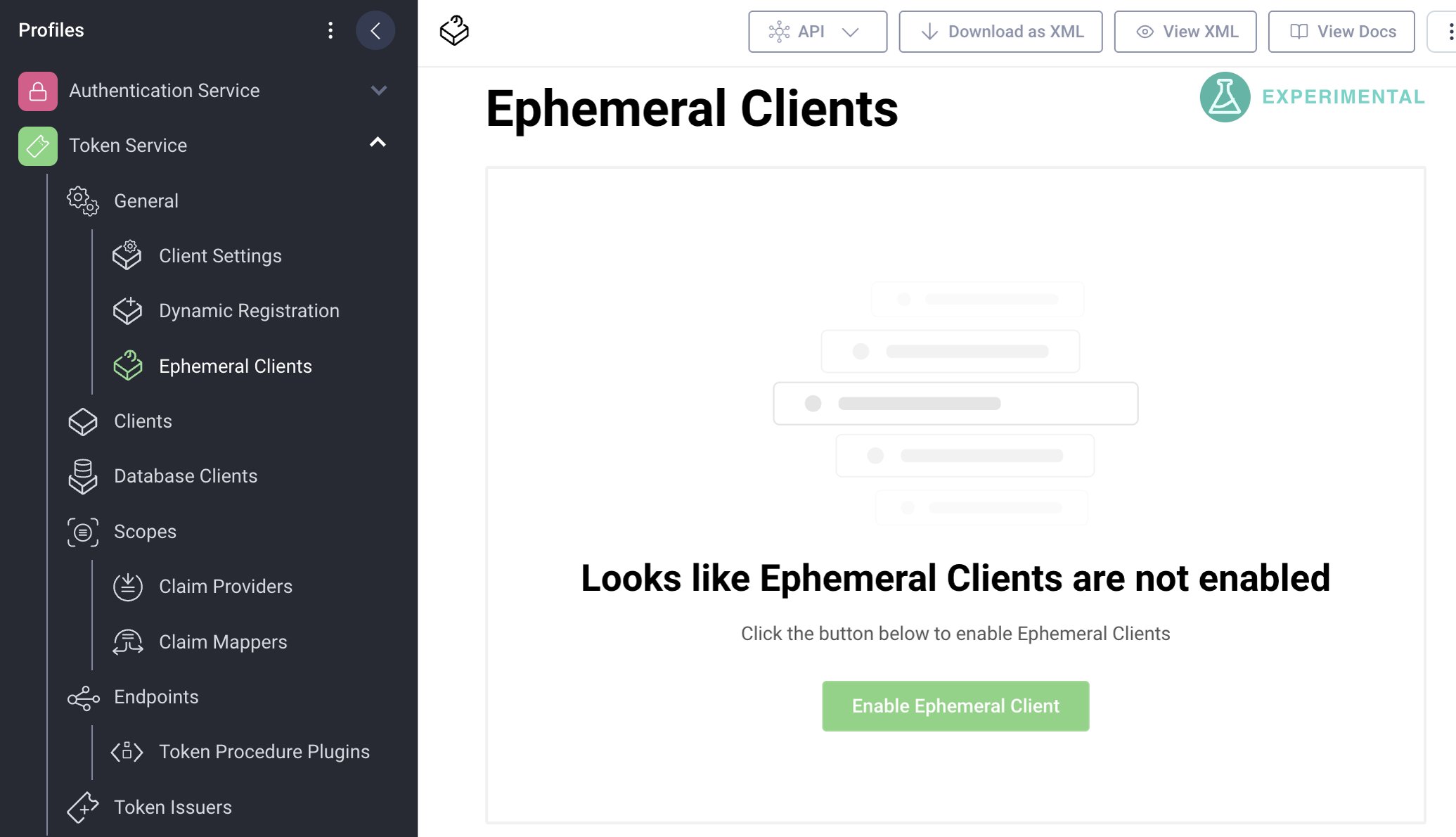
Once enabled, you can configure the behavior and policies for ephemeral clients. Note that the feature is currently experimental and subject to change.
Potential Conflict
Enabling ephemeral clients may cause conflicts if you happen to use HTTPS URLs for client IDs other than for ephemeral clients.
Configure Ephemeral Clients
The Curity Identity Server needs to make outgoing calls to retrieve the Client ID Metadata Document and eventually other resources such as the public keys from the JWKS URI. In the general sections you can configure some behavior related to those outgoing calls.
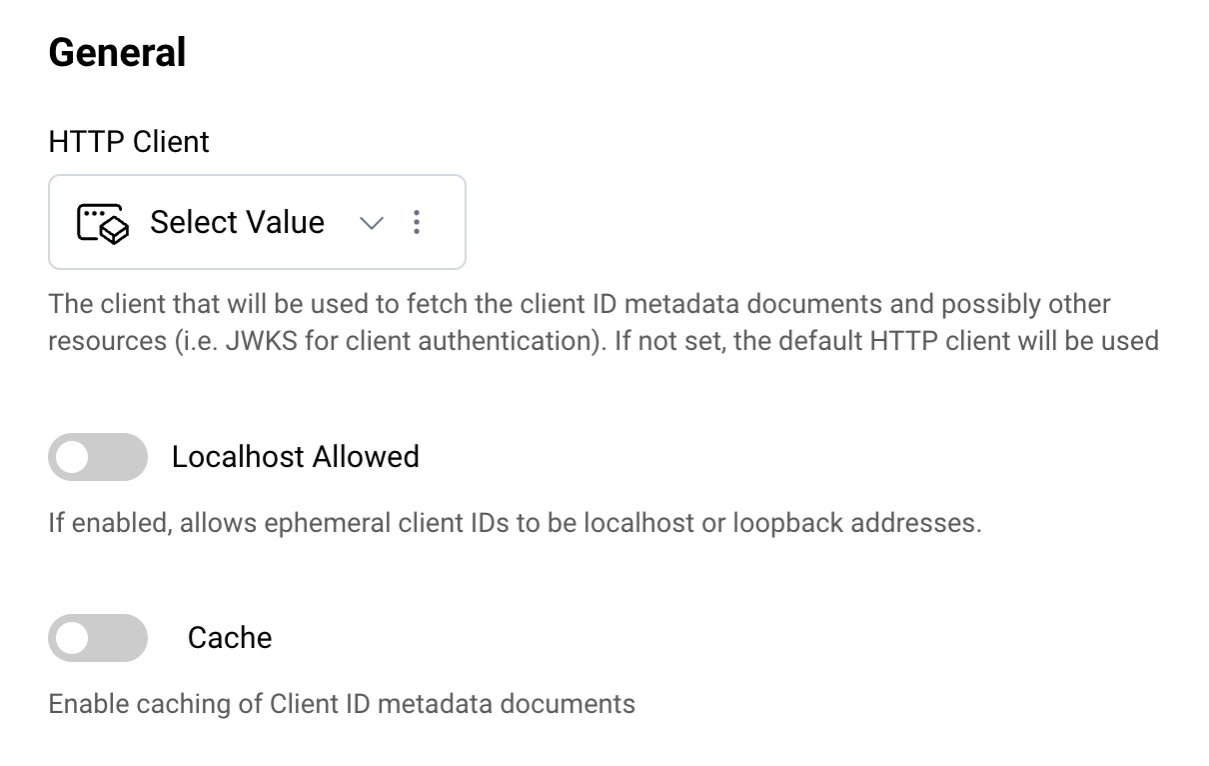
For this tutorial continue with the default settings.
Add Client Capabilities
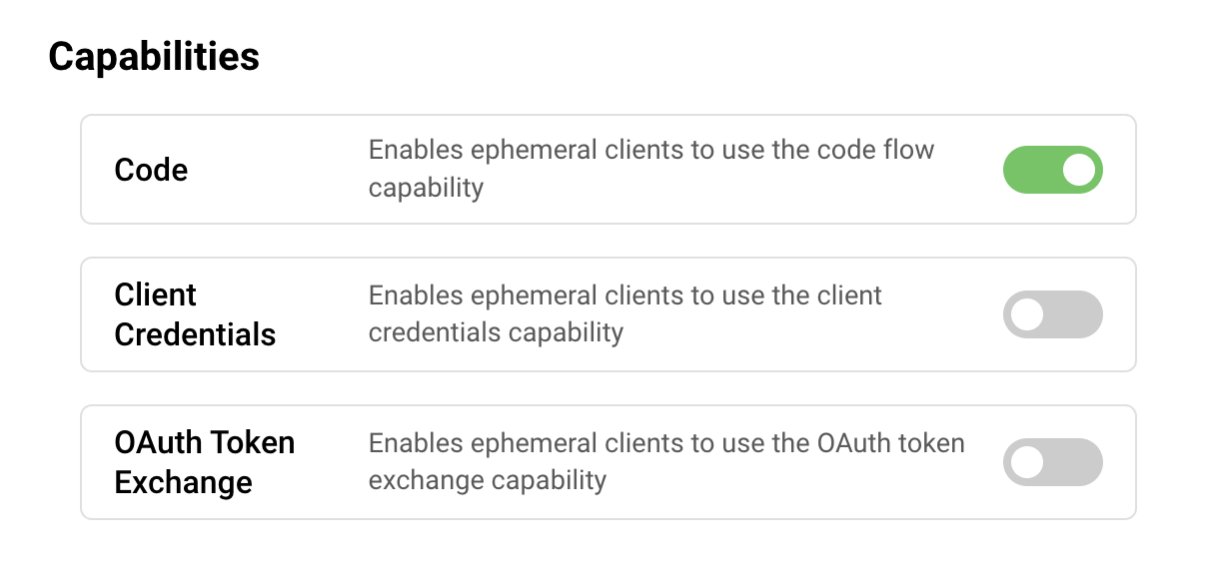
Client capabilities are the grant types that a client may use to request tokens. The supported capabilities for ephemeral clients are:
Only clients that support the enabled capabilities will be allowed to request tokens.
For the purpose of this tutorial, enable Code.
Configure Client Authentication
Ephemeral clients may authenticate using public key cryptography. The Curity Identity Server currently supports JWT-assertion-based client authentication (private_key_jwt). For this, the client ID metadata document of the ephemeral client must include the jwks_uri parameter. Clients may also not authenticate at all.

For the purpose of this tutorial, accept no authentication and allow clients that do not support authentication (public clients). The client metadata documents of such clients contain an entry for token_endpoint_auth_method=none.
Select Scopes
In the scope section, select which scopes you trust an ephemeral client with. You can choose to allow all or a selected list of scopes.
Least Privilege
For security purposes, always restrict the scopes and only allow a selected list of scopes.
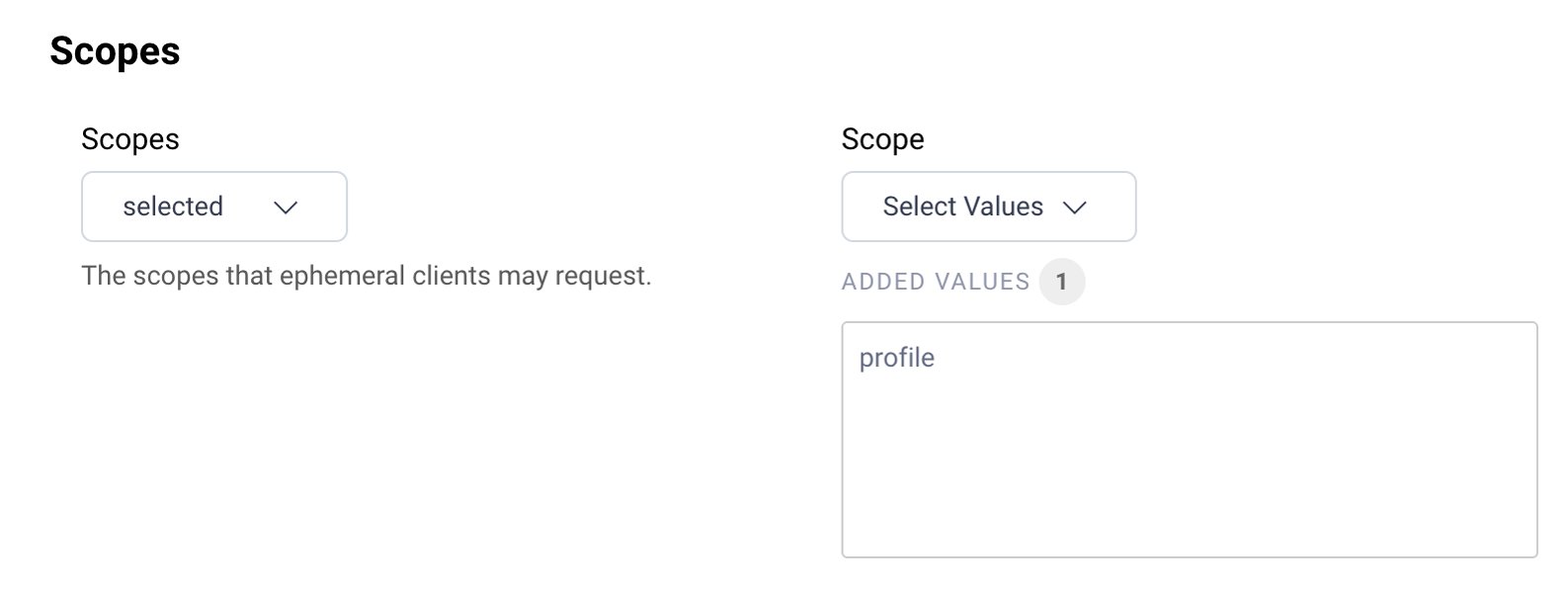
- For the purpose of this tutorial, choose
selectedfrom the Scopes dropdown list to be able to specify the allowed scopes. - Add
profileto the list of allowed scopes.
Adapt Security
In this section, you can define the settings for the different tokens as well as the requirements for the request, such as whether the client must send a Pushed Authorization Request, or a request object. The details depend on which capabilities you enabled for ephemeral clients. The following screenshots shows the security configuration for the code flow.
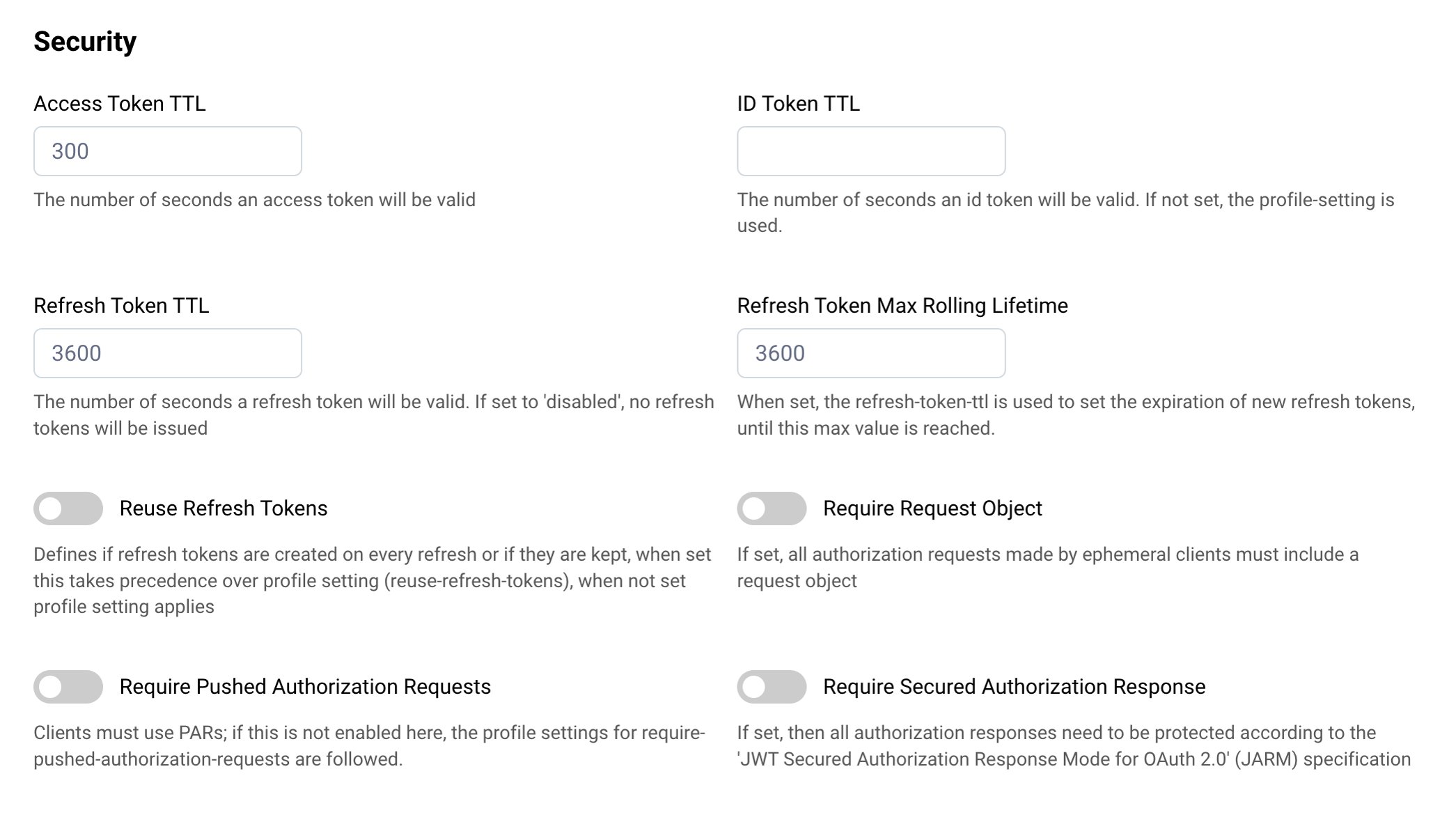
Keep the default values for this tutorial.
Restrict Client IDs
The Curity Identity Server allows you to restrict which ephemeral clients to accept based on the domain of their client IDs. This setting is useful for allowing or denying known clients. The following screenshot shows how to allow a client that uses a Client ID Metadata Document hosted on the domain www.client.example.
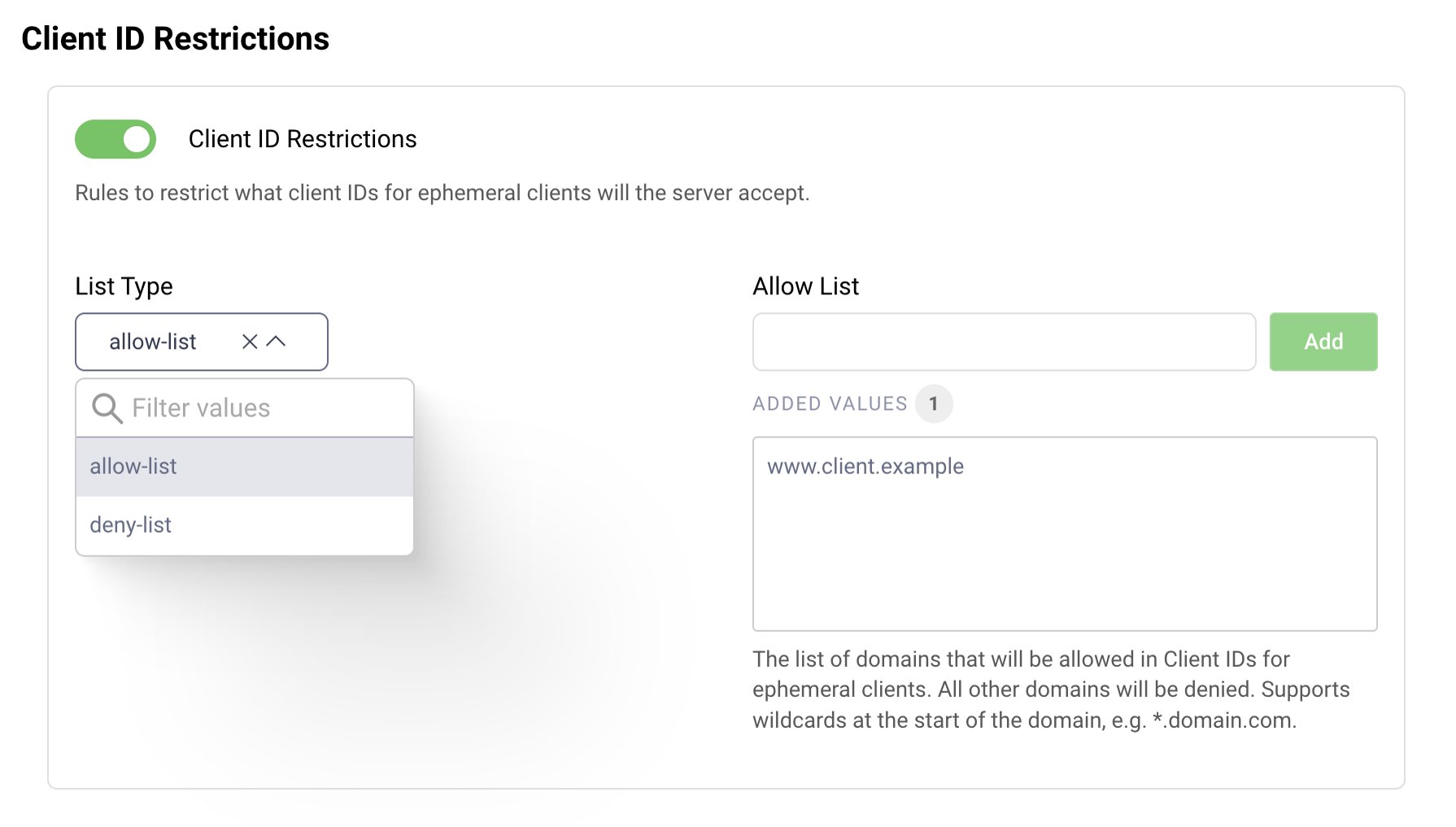
For the purpose of this tutorial, restrict the allowed clients.
- Choose
allow-listfrom the dropdown for the List Type. - Enter
www.client.examplein the input field for Allow List. - Press the Add button to add the domain name to the list.
Authenticate Users
In this section you can define how users must authenticate when requesting access via an ephemeral client. You can choose between allowing all or selected user authenticators.
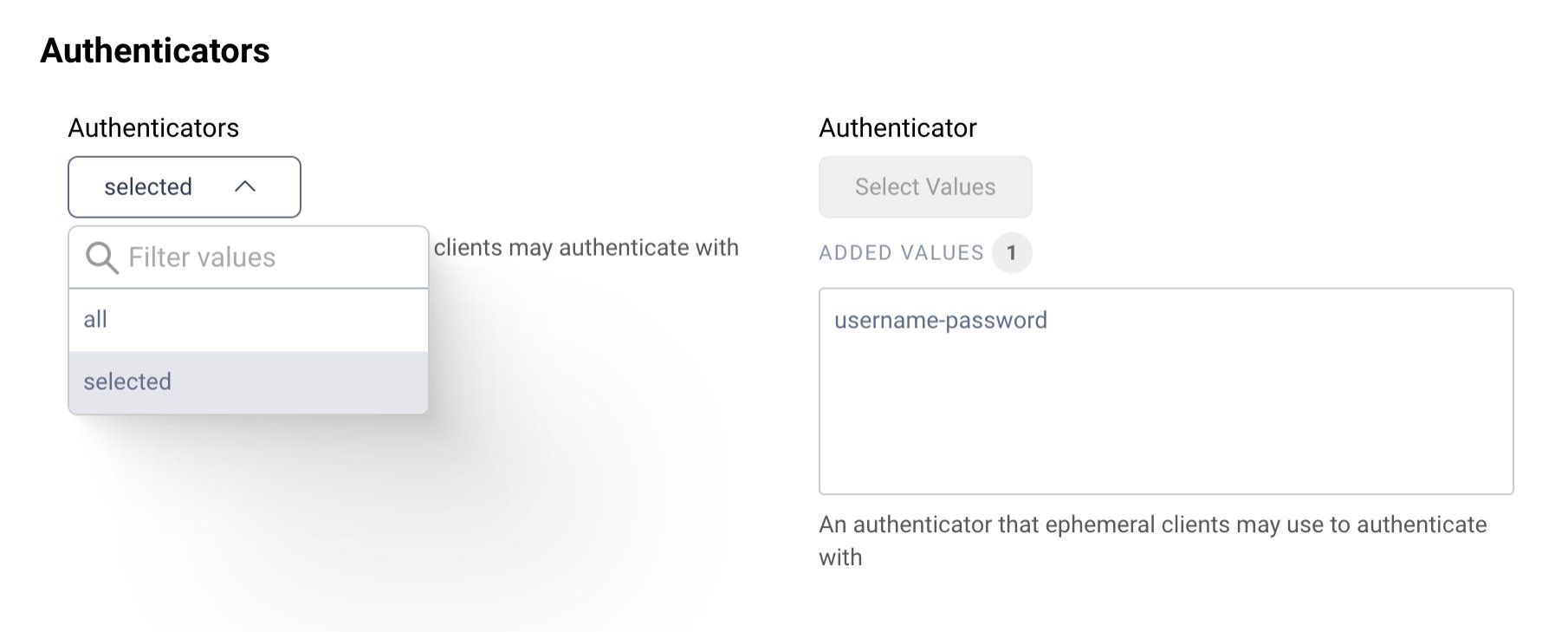
- For the purpose of this tutorial, choose
selectedfrom the dropdown. - Select
username-passwordfrom the Authenticator dropdown to add the user authenticator to the list of allowed authenticators.
If you don't have any authenticator yet, study how to Configure an Authenticator among the Getting Started Guides.
User Consent
User consent provides an additional check before issuing tokens to ephemeral clients. When enabled, the Curity Identity Server will prompt the user to confirm an access request before it issues the tokens. We recommend you enable this setting.
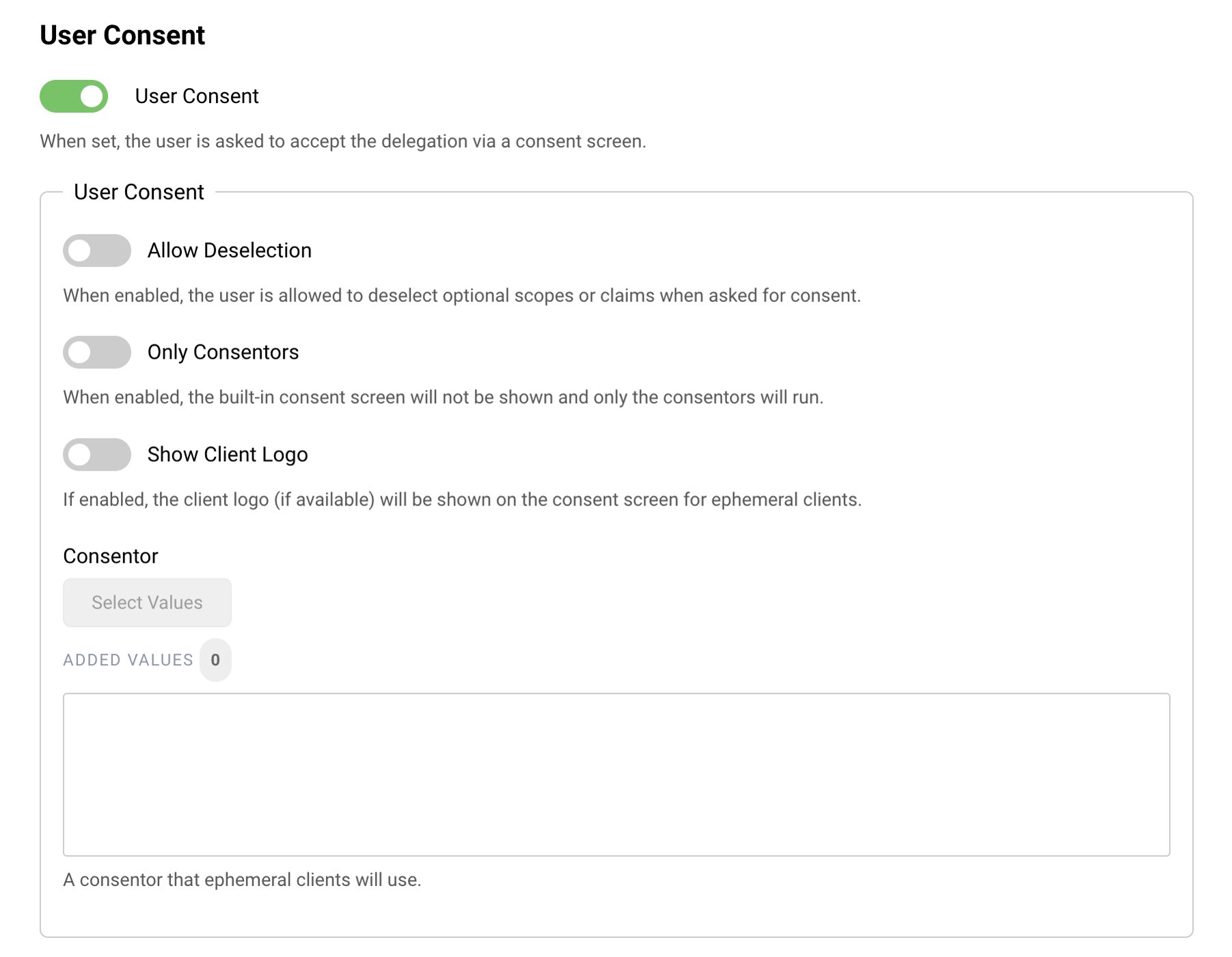
- Enable User Consent.
Commit Changes
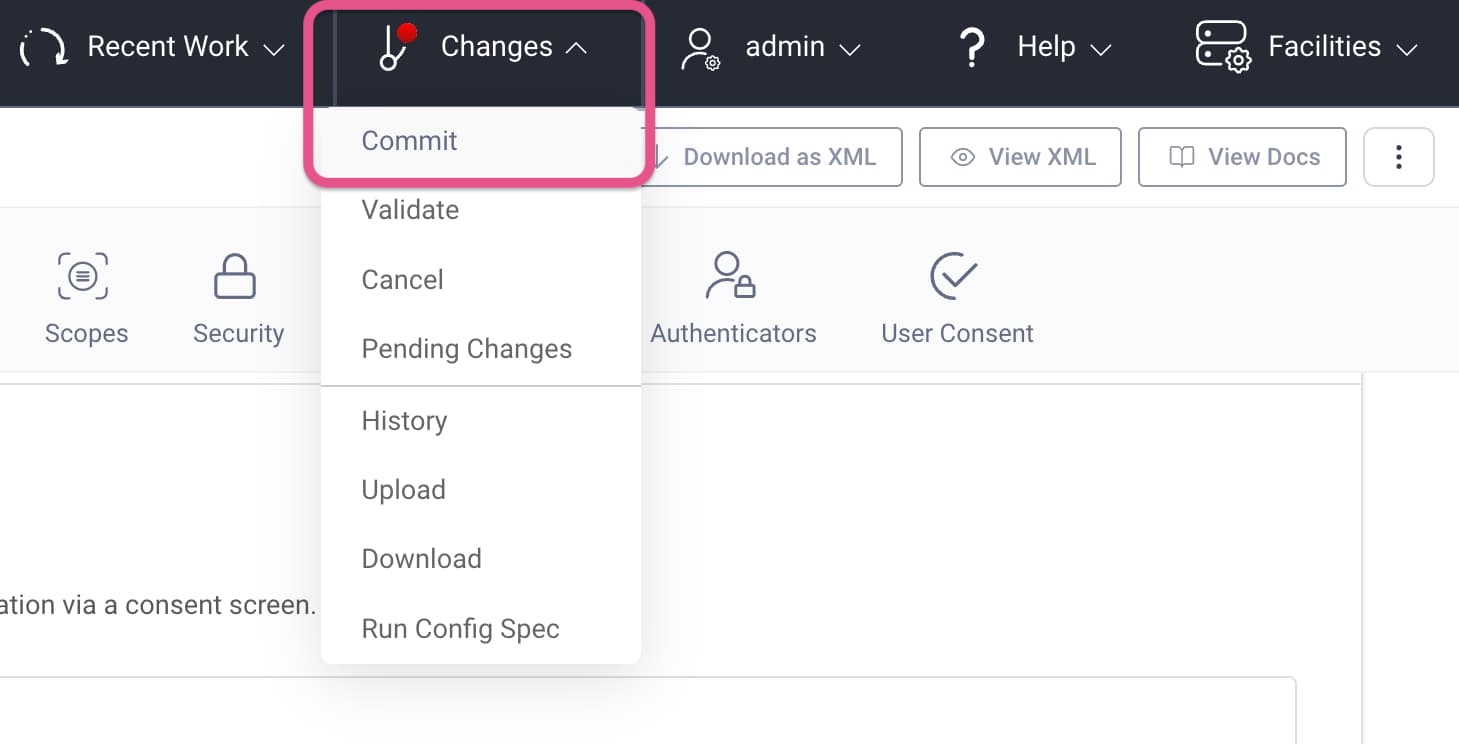
When done with the configuration, commit your changes.
- Open the Changes menu from the menu bar.
- Click Commit.
- Optionally, enter a commit message.
Code Example for Testing
This tutorial is accompanied by a code example for an AI security use case, where an AI agent with a whitelisted client ID metadata document URL gains restricted access to resources. Check out the GitHub link at the top of this tutorial to get the code and run the end-to-end flow. Follow the instructions in the README to deploy the example using Docker. The Docker deployment sets up the following infrastructure:
- API gateway
- (REST) API
- MCP server
- The Curity Identity Server (+ database)
- A mockup mail server (for user authentication)
- A webserver for the Client ID Metadata Document
The example includes some clients to test with. None of them is pre-registered at the Curity Identity Server. To test ephemeral clients, run the TypeScript SDK Client for an end-to-end test that uses Client ID Metadata Document.
Why Use Ephemeral Clients?
The Client ID Metadata Document is an HTTPS URL that points to a JSON file with the client's metadata. Client ID Metadata Document is suitable for public clients that skip client authentication. Registering public clients raises the question of the bottom turtle, of where to ground trust. With Client ID Metadata Document trust is effectively defined by a list of trusted domains or URLs.
Register AI Agents
The Client ID Metadata Document does not necessarily solve the impersonation problem of public clients but at least it enables the authorization server to only load the metadata from a trusted domain compared to accepting any registration data. Platform-specific apps ("native apps") may include a local loopback address for the redirect URI (redirect_uris=[http://127.0.0.1/callback]). An AI agent is a common type of public ephemeral client. The MCP Authorization Protocol encourages the use of Client ID Metadata Documents.
Simplify App Registration
In general, you can use ephemeral clients to simplify client registration. For example, let developers register their applications in a developer portal with a simple URL - the Client ID Metadata Document. The developer portal can retrieve the client details such as the logo and description from the URL.
This setup allows you to restrict access to applications that are listed in the developer portal while giving developers maximum control over client capabilities. It means developers can own the client capabilities, change or update the client without having to update their registration in the developer portal and without having to bother with the complexity Dynamic Client Management implies.
Customer Stories
Learn how organizations run identity and API security at scale.
Read customer storiesWas this helpful?